
How to Run an Incident Review That Counts
A practical guide to incident reviews that actually prevent the next outage.

Imagine this: it’s a regular workday when suddenly alerts start flooding in. Your login system is down, customers cannot use the service, and customer support is drowning in hundreds of complaints. Your team now juggles 20 open Slack threads. After a few hours of high pressure work, the incident is resolved with a hotfix. The real work is just beginning.
Why did this happen in the first place?
More importantly, how do you stop it from happening again?
The hotfix is only temporary. It needs to be replaced with a proper solution. Priorities have to shift.
The incident must be clearly communicated across development, sales, customer support, compliance, security, and product teams.
How do you manage all of this?
A well-crafted postmortem will become your best friend.
Why Postmortems Matter
Software systems are complex, interconnected, and constantly evolving. Especially in SaaS products, no matter how experienced your team is, incidents will happen. Downtime, data corruption, misconfigurations, regressions, customer complaints, and even full-scale outages are all part of a software team’s experience.
During an incident, the top priority is to contain it and resolve the issue as quickly as possible. Patching, hotfixing, and restoring service come first. How to manage incidents effectively is a topic for another day…
But once the dust settles, we have a responsibility to look back, blamelessly, and understand what actually happened. That is where the postmortem comes in. A good one summarizes the incident, traces the sequence of events, and identifies the root cause. It shows us where we can improve: in our code, our processes, our testing, or our monitoring. It also helps us reflect on the incident response itself, revealing ways to strengthen our resilience and readiness.
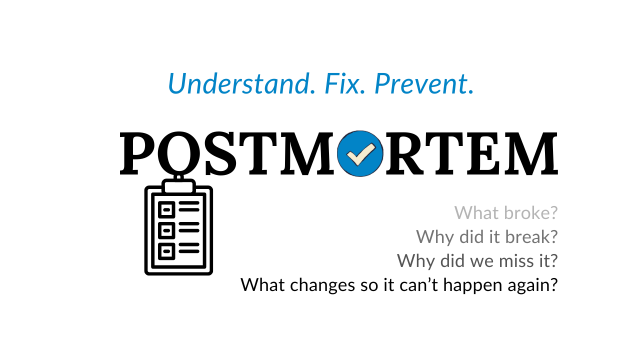
A postmortem gives us a chance to move beyond “what broke?” and ask “why?”. A well-analyzed and clearly communicated postmortem helps ensure we do not make the same mistake twice.
Common Pitfalls
In my experience, most postmortems I have seen were thoughtful and well written. But occasionally, I have come across several that just felt off. In one case, the author directly pointed to an individual as the cause of the incident. This set off a long, uncomfortable discussion where the conversation quickly turned into finger-pointing. It escalated unnecessarily, with middle management stepping in and starting to dig into who did what, instead of helping the team move forward.
To be fair, the person did make an honest mistake. But it was the kind of issue that a properly set up CI/CD pipeline could have caught. At first, the discussion focused too much on personal accountability, rather than looking at how the process could be improved or what safety nets were missing. Fortunately, as more people joined the conversation, the tone shifted and the focus turned back to how to prevent similar issues in the future.
Blame is one of the most common and damaging pitfalls in postmortems. When people feel they are being singled out, they stop sharing openly, which undermines the whole point of reflection and improvement. Another common mistake is writing vague or non-actionable takeaways. Phrases like “engineers should be more careful” or “we’ll try harder next time” do not lead to real change. Some teams also treat postmortems as a checkbox activity—something to complete quickly and file away, without follow-up or accountability. Others write overly technical postmortems that are hard to understand or so high-level they fail to capture the complexity of what actually happened. In all these cases, the result is the same: the team misses a chance to learn.
Best Practices
A good postmortem is clear, written in a calm tone, and focused on learning. It’s not a blame report but a tool for continuous improvement.
Here are some practices that I use when writing or reviewing postmortems:
Capture everything as it happens
I cannot highlight this enough. Turn it into a habit to screenshot anything that might seem relevant during the incident and keep it in a personal notes file. Copy and paste links from Slack threads, stack traces, reports from your monitoring platform or links to your customer tickets. Include names of people involved or consulted. This will save time and help you reconstruct the timeline later.
Write the postmortem soon after the incident
Details fade quickly. The sooner you write it, the more accurate and useful it will be.
Start with the timeline. Walk through the sequence of events as they unfolded. Include timestamps, actions taken, and observations.
Hint: Be mindful and specific about timezones, distributed systems and worldwide users do not “run on the same time”.
For example, a clear timeline might look like this:
Incident Timeline — 12 March 2025 (all times in UTC)
09:15 — Alert triggered: Payment service response time exceeds 5s threshold
09:18 — Engineering team notified via team channel
09:25 — Initial investigation begins. Logs indicate database queries timing out
09:35 — Customer support reports increase in payment failure complaints
09:40 — DevOps/Backend checks database server metrics: CPU and I/O utilization spiked at 95%
09:45 — Hotfix deployed: temporarily increase database instance size to relieve load (in reality DB instance size change could involve additional downtime)
09:50 — Response time improves; service partially restored
10:05 — Team continues root cause analysis; identifies recent schema migration as possible cause
10:20 — Communication sent to all stakeholders (sales, support, product) explaining the incident and temporary fix
10:30 — Database migration rollback plan drafted in case issues persist
11:00 — Monitoring confirms system stable; customer complaints drop
11:15 — Postmortem assigned and kickoff scheduled for next day
Be blameless, but transparent
Avoid finger-pointing, but don’t hide oversights either.
Don’t criticize, suggest better ways
Focus on proposing improvements, not pointing out flaws. If something was missed or could have been handled better, call it out constructively. That’s the only way to prevent it from repeating. For example, anytime I call out a mistake, oversight or a bad process I try to come up with a proposal on how to improve it.
Involve everyone who made an important contribution
Customer support member who recognized the outage; sales team member who hinted you that something is broken for a large integration customer. Someone saw a strange CPU spike and contributed to your investigation.
Ask “why?” until you get clarity
I love “5 whys” technique. The idea is simple, you start by writing why something happened. Whatever you write as an answer you ask a follow-up why. You repeat this process up to 5 times until you hit the core issue.
Let’s imagine a situation here.
The team had a production outage... Why?
Because team deployed new feature relying on a non-existing environment variable... Why?
Because it was not recognized during the code review or within our automated deployment pipelines... Why?
Because in our code reviews it is unclear who has the ownership of quality assurance when it comes to the infrastructure and integrations. Also, we never planned and don’t have a task to improve our automated pipelines...
See, as we ask why the ambiguity is turning into clarity. Clarity will hopefully turn into actionable items.
Here is a “5 Whys Root Cause Analysis” example.
Problem: Payments were failing during peak hours.
Why 1: Why were payments failing? Because our payment gateway kept timing out.
Why 2: Why was the gateway timing out? Because the database was slammed and slow to respond.
Why 3: Why was the database overloaded? Because a slow query was running without proper indexing.
Why 4: Why was the query unindexed? Because it was added as part of a new report without a performance review.
Why 5: Why wasn’t there a performance review? This is where it gets interesting. The same question can lead to different root causes depending on which thread you pull:
Branch A: Because our code review checklist didn’t include database impact checks. → Root cause: Missing a formal process for database performance reviews before deployment.
Branch B: Because the team was under tight deadlines and skipped parts of the review process to ship faster. → Root cause: Pressure to deliver quickly led to skipping critical quality checks.
Branch C: Because the team lacked clear ownership and accountability for reviewing database changes. → Root cause: Undefined roles and responsibilities caused gaps in the review process.
All three branches are valid. In practice, you might find that more than one root cause contributed to the incident. The point is to keep asking until you reach something structural that you can actually fix.
Always end with follow-up tasks
Lessons that you learned should show you where your team or processes are lacking. Use this to your advantage. For example, your software had partial outage because DB CPU was overloaded, you hot-fixed it by increasing instance size. Create follow-up task to investigate indexes if you haven’t done this already. Write a follow-up task to investigate if it makes sense to introduce additional caching layer.
Use the opportunity to revisit your processes
Let’s say your response time was 1 hour during “work time”. With 20 developers available you expected someone to react in 5 minutes. What happened? Are you lacking visibility, alerts? You might be lacking clear described processes or monitoring alerts ownership. If needed, reflect on this, also on your team’s “definition of done,” quality and security practices, or release criteria. Postmortems can uncover deep gaps worth fixing.
Your Postmortem Cheat Sheet (Free PDF)
Incidents suck. But postmortems? They don’t have to.
They’re your chance to pause, rewind, and learn something that actually makes your system and your team better. A good postmortem turns “what just happened?” into “we will do better, here’s how we avoid this next time”.
I’ve put together a Postmortem Guidebook. A simple, practical PDF you can keep on hand for the next time something breaks in production.
Inside, you’ll find:
A clean, blameless postmortem template
A checklist of what to capture during and after the incident
A step-by-step “5 Whys” worksheet for uncovering root causes
Sample of what follow-up tasks might look like (with clear acceptance criteria)
Tips for getting buy-in from leadership and cross-functional teams

This is the kind of thing I wish I had earlier in my career, a concrete resource built from real-world experience.
If you liked this post, hit subscribe. I write about engineering practices, postmortems, SaaS delivery, and lessons learned from the messy parts of building software.